HostGrower Free, Global & Powerful Content Distribution Network
Improve the performance of your websites no matter where your users are in the world. Configure edge caching and more than 40 speed optimisation options.
All packages include it for free.

What exactly is our CDN?
Our content distribution network is described in detail.
Our CDN is a worldwide network of physical, optimised servers that cache the content of your website served by our platform. Customers from all over the world will connect to those CDN nodes rather than our local network, resulting in faster content delivery and faster loading of your websites.
Why should you use our CDN?
- The content is being actively cached
- Latency has been reduced
- SEO has been improved
- Websites that load faster!
Global CDN Nodes
Europe
- London, UK
North America
- Dallas TX, USA
Edge Caching
You can serve both static and dynamic elements of your website closer to your visitors by deploying servers all over the world. You have total control over this and can completely disable it if necessary.
Global Edge Caching
We automatically cache static content at our edge, ensuring that images, JavaScript, and CSS files are delivered quickly to all of your visitors around the world, and you can control how long we keep this content. You can also run an instant cache purge if you've updated your website and want to ensure that all users see the most recent content before the cache expires. Your website will load faster if you cache more content.
Dynamic Cache
Using public Cache-Control and Expires headers, our dynamic cache can cache any resource at our edge. Once enabled, you can begin storing content in this cache by configuring your application to emit those headers. Any responses containing a cookie will not be cached. When combined with StackCache, this provides full-page dynamic content caching, ensuring rapid TTFB times for all resources regardless of visitor location. Advanced users can determine whether a resource was cached by inspecting the X-CDN-Cache-Status header.
Custom Cache Settings
Configure a number of edge caching options based on your requirements.
Image Cache – How long we should keep images on our edge.
CSS Cache – How long we should keep stylesheets and fonts at our edge.
JavaScript Cache – How long we should keep JavaScript files at our edge.
Purge Cache
You can clear all cached files at any time, forcing all edge servers to retrieve fresh copies from your site. Purging the cache may temporarily reduce the performance of your website.
Why should I purge?
If you’ve made changes to your site and want to see them immediately, you might need to clear the cache. Our CDN, on the other hand, will fetch your sites every hour to ensure that the most recent content is served.
Security Headers
Control how your CDN is accessed by managing security headers. X-Frame-Options, X-Content-Type-Options, Referrer-Policy, Strict-Transport-Security, X-XSS-Protection, and Content-Security-Policy are examples of these.
X-Frame-Options – Used to indicate whether or not a browser should be allowed to render a page in a <frame>, <iframe>, <embed> or <object>.
X-Content-Type-Options – Is used by the server to indicate that the MIME types advertised in the Content-Type headers should not be changed and be followed.
Referrer-Policy – This controls how much referrer information (sent via the Referer header) should be included with requests.
Strict-Transport-Security – This response header lets a web site tell browsers that it should only be accessed using HTTPS, instead of using HTTP.
X-XSS-Protection – This response header is a feature of Internet Explorer, Chrome and Safari that stops pages from loading when they detect reflected cross-site scripting (XSS) attacks.
Content-Security-Policy – This response header allows web site administrators to control resources the user agent is allowed to load for a given page.
Development Mode
You can temporarily disable all caching to complete website development tasks without being concerned about cached data. After three hours, caching is automatically re-enabled.
Web Optimisation
HTML Optimisation
- Add Head
- Collapse Whitespace
- Combine Heads
- Convert Meta Tag
- Elide Attributes
Image Optimisation
- Convert to WEBP Animated
- Convert to WEBP lossless
- Deduplicate Inlined Images
- Inline Images
- Inline Preview Images
CSS Optimisation
- Move CSS Above Scripts
- Combine CSS
- Fallback Rewrite CSS URLs
- Flatten CSS Imports
- Inline CSS
JavaScript Optimisation
- Canonicalize JavaScript Libraries
- Combine JavaScript
- Defer JavaScript
- Include JavaScript Source Maps
- Inline JavaScript
- Minify JavaScript
Are you looking for WordPress hosting with CDN?

Block Visitors
Prevent unwanted visitors.
You can block IP addresses, entire subnets, or even entire countries with our CDN. Select a country from a drop-down menu to automatically block all IP addresses from that country (relies on GeoIP IP address data).
With wildcards and CIDRs, you can block IP addresses. Both 192.168.0.0/24 and 192.168.0.*, for example, would block all IP addresses between 192.168.0.0 and 192.168.0.255.
Global CDN Statistics
Monitor traffic to your websites through our CDN (Content Delivery Network), which displays bandwidth, hits, SSL hits, errors, and geographic distribution.
CDN Statistics
Choose to view the statistics for the Last 24 Hours, Last 30 Days, or Last 12 Months.
- Total Bandwidth
- Total Hits
- Cache Hit Rate
- Bandwidth vs Hits
- SSL Hits vs Non-SSL Hits
- HTTP Successful Requests vs Error Requests
Traffic Distribution
Choose to view the traffic distribution for the Last Hour, Last Day, or Last Week.
- Global representation of traffic sources and distribution
- View Top Countries accessing your sites
- Breakdown by either Bandwidth or Hits
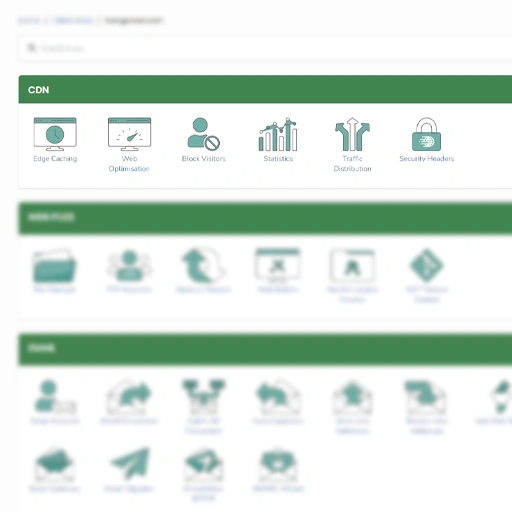
CDN Settings Manager
Manage the CDN settings for all sites from one place
Navigate to the CDN area of your StackCP. Edge Caching, Dynamic Caching, and our Web Optimisation “Safe” suggestions may all be enabled and disabled. Purge Cache is another option. It is also possible to refind any CDN settings and check statistics.
CDN (Content Distribution Network) FAQs
Incorporating your website into a CDN will provide numerous benefits to your traffic and conversion rates. By replicating your site on multiple servers, the Content Distribution Network speeds up your site and brings content closer to your visitors, regardless of their location in the world. The data is transmitted more quickly, and latency time (which can be extremely long for users on other continents) is significantly reduced. CDN provides your site with a significant competitive advantage by improving performance and, as a result, search engine ranking.
Our CDN is provided at no additional cost and is included in all hosting packages across all of our platforms. Other providers may try to charge extra for it; we include it!
We currently use an exclusive set of highly connected datacenters in Northern America and Europe, which are typically used by transit providers and thus provide the best latency with the fewest POPs. We effectively pay a premium to place hardware directly in “carrier hotels” and neutral datacenters through which all traffic from a region will pass.
No. Because of our highly configurable CDN and Web optimization suite, you have complete control over which features you want to use and benefit from. The more features you activate, the faster your website will be!
No, as with all of our packages, we provide unlimited bandwidth when using our CDN as well as when it is disabled. There will be no surprise traffic fines.
Do You Have Any Further Questions?
Contact our knowledgeable staff today. If you have any questions about our services, we are always happy to hear from you.
Message us
care@hostgrower.com
We are available 24 hours a day, seven days a week, to respond to your inquiries.
Call us
0742 977 3903
Our customer care team is available and happy to take your calls and speak with you.
WhatsApp
+44 742 977 3903
Send us a WhatsApp message and our team would be happy to chat with you.
Live Chat
UK Customer Care
Contact our customer care team via live chat 24 hours a day, seven days a week.